app

Uncategorized

Ransomware Payments Are Going Up, Up and Up!

Ransomware Payments Are Going Up, Up and Up! Up 500% To Over USD 2M

Cybersecurity threats are escalating, and it’s vital to be aware of the recent trends that could put your company at risk. If you’re running a business, large or small, you should be cognizant of a significant spike in ransom payments. The climb from an average of $400,000 to a staggering $2 million in ransom demands marks a severe uptick in the potential financial impact on your operations. Cybercriminals have become more sophisticated, shifting their tactics from merely encrypting data to exfiltrating it and threatening to leak sensitive information online.

This shift in strategy underscores the need for robust cyber protection measures. Establishing strong cybersecurity practices to safeguard your data is essential. Simple preventative steps can immensely reduce your vulnerability to these attacks. While there’s no absolute defense, being prepared is crucial. In addition to implementing security measures, securing a cyber insurance policy provides an added layer of protection, helping to mitigate potential damages if your business finds itself targeted in a ransomware attack.

Key Takeaways

  • Ransom demands in cyberattacks have surged to an average of $2 million.
  • Cyber attackers now threaten to leak stolen data, increasing the pressure on businesses to pay.
  • Implementing cyber hygiene and obtaining cyber insurance are critical steps in safeguarding your business.

Escalation in Ransomware Compensation

Insights from a Cybersecurity Analysis

A notable growth in monetary amounts paid to ransomware extortionists has been documented. Following a recent analysis, it emerged that the figures have swelled up fivefold from the previous year, with companies now, on average, dealing with demands of $2 million.

Trend of Rising Average Payments

The shift from the prior year’s $400,000 average to the current rate signals a significant uptick in the cost of cybercrime for victims. The increasing sums represent a new precedence in the financial burdens cybersecurity faces.

Broad Range of Targets

Ransom demands are impacting a diverse array of businesses, regardless of size. Even organizations with annual revenues below $10 million encounter seven-figure requisitions. The new approach involves data theft, followed by a threat to publish the stolen information unless a ransom is paid. This method reflects a departure from previous tactics that focused on encryption-based extortion.

Adopting solid cybersecurity measures to safeguard your data against such threats is essential. Implementing basic cyber defenses can significantly aid in the early detection and containment of potential breaches. Despite taking precautions, the risk is never completely eradicated, and hence, it’s prudent to consider cyber insurance to mitigate the impacts of a successful attack. For comprehensive cybersecurity assistance, you may contact our team for expert guidance.

ransomware

Strategies of Digital Malefactors

Outflow of Confidential Information and Coercion

Cybercriminals have refined their strategies, frequently extracting sensitive data from organizations and threatening to publish it unless a substantial ransom is paid. This trend represents a shift from previous attacks that primarily involved encrypting an enterprise’s data. Your company, regardless of size, could be targeted for high-stakes ransoms. You must maintain vigilance and take robust measures to protect your company’s digital assets. One high-profile incident involved UnitedHealth, which faced demands allegedly reaching $60 million to prevent the release of stolen patient data.

  • Preventive Measures:
    • Ensure cyber insurance is included in your risk management portfolio.
    • Adopt and enforce strong cyber hygiene practices across your organization.
    • Employ detection systems to identify breaches promptly.

Transition Away from Data Locking

Rather than merely locking away your data through encryption, adversaries have adopted tactics that leverage the stolen information for extortion. The surge in ransom demands poses a significant financial threat, with payments averaging as high as $2 million—an alarming increase from the prior average of $400,000. The broad spectrum of companies affected includes annual revenues under $10 million, demonstrating the ubiquitous risk of such attacks.

  • Protective Strategies:
    • Establish a foundation of basic cyber hygiene protocols.
    • Utilize technologies that detect and contain breaches swiftly.
    • Consider obtaining cyber insurance to mitigate potential financial losses.

It’s essential for your business, irrespective of its scale, to adopt these defensive techniques to avert the financial and reputational damage incurred by ransomware exploits.

Notable Cases of Ransomware Attacks

The Ransomware Event at United Healthcare

In recent times, ransom demands by cybercriminals have exponentially increased, averaging around $2 million—an alarming jump from the previous year’s $400,000. Businesses of all sizes, even those with less than $10 million in revenue, are experiencing the pressure of immense, often seven-figure ransom demands.

Infiltration Method Changed: Cybercriminals have shifted strategies. Rather than merely locking data on your servers, these attackers are now extracting sensitive information and threatening to publicize it unless paid a hefty sum.

The United Healthcare Precedent: One prominent healthcare provider faced a ransomware predicament when malicious actors siphoned patient data, leading to a reported payment nearing $60 million to ensure the non-disclosure of the compromised information.

Safeguards for Your Business:

  • Basic Cyber Hygiene Practices: Regularly update and patch systems to mitigate vulnerabilities.
  • Proactive Measures: Employ protective solutions that detect breaches early to contain and neutralize threats.
  • Comprehensive Cyber Insurance: Secure a cyber insurance policy to bolster your organization’s financial resilience in case of a digital security breach.

Ensure your business implements critical security measures to decrease the probability of becoming a ransomware victim.

Mitigating Risks and Implementing Protective Measures

If you’re at the helm of a company, you need to be aware that the monetary demands following a cyberattack have increased significantly. In the digital realm, where threats evolve swiftly, the average ransom demanded by cybercriminals now stands at an alarming $2 million – a substantial rise from the previous $400,000. This threat landscape encompasses many businesses, from major corporations to those with annual revenues of less than $10 million.

Adopting comprehensive cyber defense strategies to shield your data from unauthorized exposure or retrieval is critical. Cybercriminals’ new method of choice involves extracting sensitive information and threatening its release unless a hefty ransom is paid. A notable instance of this included a healthcare organization facing a ransom demand reportedly as high as $60 million to ensure stolen patient information remained confidential.

To fortify your defenses against such ransomware onslaughts, follow these steps:

  • Adopt Fundamental Cyber Hygiene Practices: Invest time in establishing and maintaining basic cyber hygiene. Regular updates, strong password policies, and employee training are essential components of a resilient cyber hygiene regimen.
  • Early Detection Systems: Deploy detection tools that promptly alert you to breaches. The faster you identify an intrusion, the quicker you can contain it, possibly preventing any ransom demands altogether.
  • Comprehensive Cyber Insurance Cover: Acquiring a robust cyber insurance policy, in tandem with your general business liability insurance, can be a savvy move. Given the unpredictable nature of cyber threats, insurance is crucial in mitigating financial losses post-incident.

Maintaining Digital Security and the Value of Protective Policies

Why Vigilant Digital Practices Are Crucial

The rapid escalation of ransom demands, which have alarmingly spiked to an average of $2 million, indicates that the digital threat landscape is evolving. All businesses, regardless of size, are potential targets. The prospect of enduring crippling financial demands to retrieve stolen data or to keep it from being publicly disseminated is a stark reality. A comprehensive strategy that encompasses vigilant digital practices is essential.

These practices involve consistent and systematic actions to detect and prevent unauthorized access to your digital networks and devices. By prioritizing these protocols, you ensure that measures are in place to quickly identify and contain potential threats before they escalate.

The Rationale for Digital Risk Coverage

Given the current digital space risks, securing an insurance policy that provides financial protection against such threats is sensible. A digital risk coverage plan acts as a safety net, offering a layer of financial security on top of traditional business liability coverage.

As these digital threats have become more sophisticated, merely depending on standard security measures is no longer sufficient. It’s advisable to consult with experts like our team of ransomware experts, who can guide you in acquiring a policy tailored to your company’s specific needs. The availability of insurance does not negate the necessity of robust security protocols, but it provides the financial assurance needed during a digital security breach.

Remember, your resilience against cyber threats hinges on the dual approach of enforcing vigilant digital practices and securing an appropriate insurance policy. It’s an investment in your company’s continuity and peace of mind.
Best Practices for Protecting Your Online Presence

Cyber Security Tips: Best Practices for Protecting Your Online Presence

With cybercrime’s ever-increasing sophistication, securing your business’s data and operations has become vital to corporate responsibility. As attackers become more adept at identifying and exploiting vulnerabilities, staying informed and vigilant about the latest cybersecurity strategies is critical. It’s no longer a matter of if but when a company could be targeted; thus, understanding and applying up-to-date security measures can make the difference between being safe and becoming a headline due to a breach.

Navigating the complex world of cybersecurity can be daunting, but it is not insurmountable. Adopting a proactive mindset and integrating robust security protocols can significantly reduce the risk of cyberattacks. Security isn’t just about having the right tools; it’s also about cultivating good habits and educating those within your organization. Regularly updating all aspects of your digital environment, from the software to the hardware, is essential for maintaining a strong defense against potential threats.

Key Takeaways

  • Regularly update and maintain all digital systems to fortify security.
  • Foster good cybersecurity habits, such as scrutinizing communications and managing access securely.
  • Educate and empower everyone in the organization on security best practices and the importance of vigilance.

Ensuring Your Software Remains Current

  • New Features: Enjoy the latest functionalities.
  • Bug Fixes: Resolve previously known issues.
  • Enhanced Security: Safeguard against vulnerabilities.

Installing updates promptly is essential to maintain optimal software performance and security.

Safeguard Against Questionable Emails

  • Be cautious: Steer clear of opening emails that raise suspicion.
  • Impersonation alert: Watch out for pretenders posing as reputable contacts.
  • Protective measures: Avoid clicking on unfamiliar links or downloading attachments to prevent potential malware risks.

Modernize Your System Hardware

  • Ensure you’re using current hardware to maintain compatibility with the latest security updates.
  • Up-to-date components can help you react quickly to security threats.

Secure Your Confidential Data Transfers

When exchanging sensitive information, opt for a secure method to safeguard against unauthorized access. Traditional email can leave your data vulnerable.

  • Choose a Secure Platform: Implement services that offer automatic encryption of files.
  • Safety First: Protect against data breaches using reliable tools for sharing confidential documents.

Take proactive steps to defend your information—try a protected file-sharing service without cost.

Protect Your Computer

  • Install reputable anti-virus software.
  • Complement it with robust anti-malware.
  • Regularly update to combat new threats.
  • Strengthen your defense. Stay safer online.

Enhance Connection Privacy with a VPN

  • Encrypt Data: Safeguard your online activity.
  • Hide Info: Your ISP won’t see your actions.

Verify Hyperlink Safety

  • Hover your cursor over hyperlinks before clicking to preview the URL.
  • Confirm the web address matches your expectations to ensure safety.

Elevate Your Password Strength

  • Test Your Password: Visit howsecureismypassword.net.
  • Create Robust Passwords: Strive for complexity and uniqueness.

Turn Off Bluetooth When Not in Use

  • Keep your devices safe.
  • Conserve battery and maintain privacy.
  • Simply switch off Bluetooth if it’s unused.

Strengthen Your Account Security with Two-Step Verification

  • Turn on two-step verification for enhanced safety.
  • This additional safeguard confirms your identity during login.

Eliminating Unwanted Adware

  • Scan Your PC: Utilize tools like AdwCleaner.
  • Privacy Maintenance: Remove adware to protect personal details.
  • Regular Checks: Keep your system adware-free.

Ensure Website Security with HTTPS

  • Verify the URL: Look for “https://” at the beginning.
  • Data Safety: HTTPS encrypts your information, protecting it during transfer.
  • Before Sharing: Always confirm HTTPS is active before entering sensitive data.

Safeguard Sensitive Data

  • Avoid non-secure platforms for storing personal info.
  • Use trusted, encrypted services to protect your details.

Examine Removable Media for Malicious Software

  • Before use: Initiate a virus scan on any removable drives.
  • Protection: Prevent potential contamination of your system.
  • Maintain safety: Always ensure devices are malware-free before access.

Stay Clear of Unsecured Wi-Fi Connections

  • Always use a VPN: If you must access a shared network, protect your data with a VPN.
  • Be aware: Public Wi-Fi can expose your personal information.
  • Best practice: Prefer personal networks over public ones for online activities.

Overcoming Complacency in Security Measures

  • Remember, no system is impervious to threats.
  • Even major corporations with substantial security budgets experience breaches.
  • Continuous security improvement is essential.

best Practices cybersecurity

Enhance Your Security Measures

  • Allocate funds towards advanced security systems.
  • Proactive investment is preferential to the hefty price of a data breach.

Protect Your Valuable Information

  • Frequently save your key files to cloud services or a local backup device.
  • This safeguards your data against unforeseen security incidents, allowing for a swift recovery.

Employee Cybersecurity Training

Key Actions:

  • Educate: Ensure your team is knowledgeable in cybersecurity protocols.
  • Harmonize: Align your workforce with security procedures.
  • Practice: Promote ongoing application of secure measures.

Remember: A single lapse can compromise your entire security setup.

Strengthen Site Security with HTTPS

  • Activate HTTPS: Safeguards data exchange between browsers and servers.
  • SSL Certificate: Crucial for encrypting the website’s incoming and outgoing information.

Utilizing a Security Specialist

Engaging a security expert, often termed a “white hat” hacker, can be advantageous for uncovering hidden risks in your cybersecurity. These professionals specialize in identifying and addressing vulnerabilities and fortifying your digital defenses.

  • Assessment: A thorough examination of your system’s security.
  • Awareness: Pinpointing previously unknown vulnerabilities.
  • Enhancement: Suggestions for improving your cyber defenses.

Remember, enhancing cybersecurity is an ongoing task. Sharing knowledge is key, and learning from the expertise of a white hat hacker can be an invaluable step in protecting your business.

What Is iPhone Stolen Device Protection?

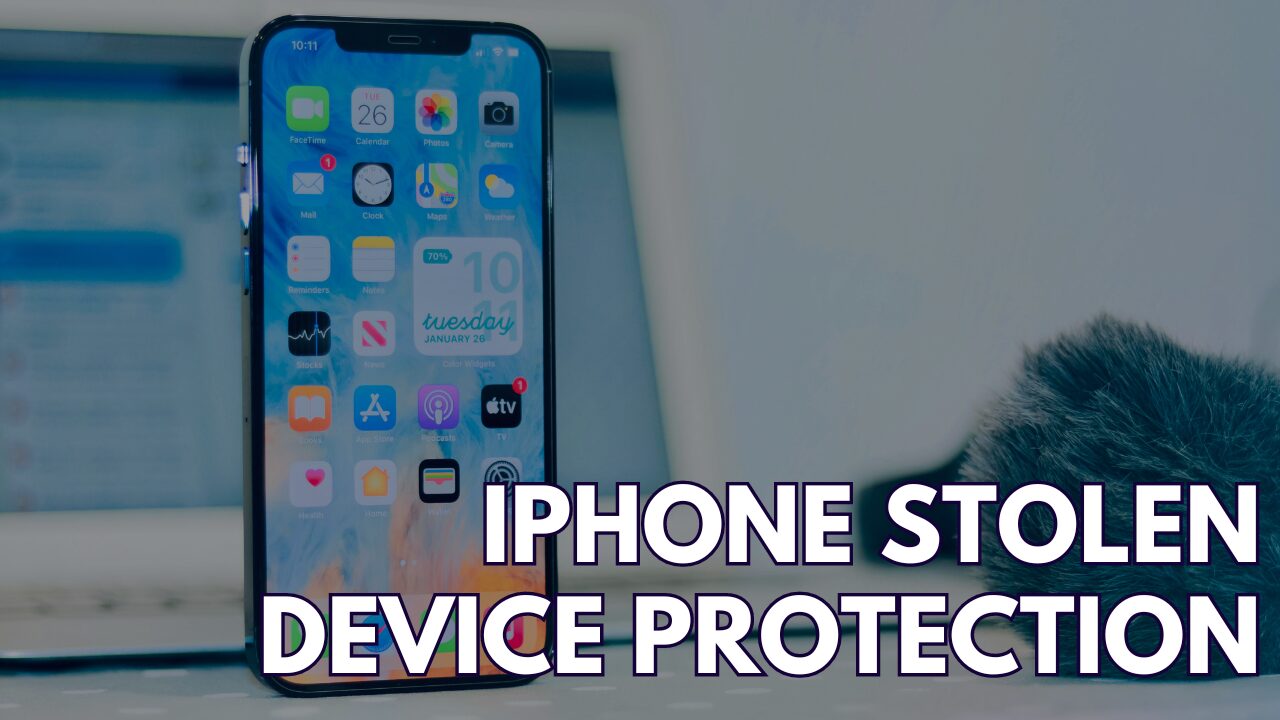
What Is iPhone Stolen Device Protection? Understanding Apple’s Security Features

With technology being a significant part of daily life, safeguarding your personal devices has become crucial. The iPhone Stolen Device Protection feature provides a robust shield for your device, especially when it may fall into the wrong hands. By enabling Stolen Device Protection, your iPhone gains an additional layer of security that goes into effect when it recognizes that the device is in an unfamiliar location. This feature, introduced in iOS 17.3, helps prevent unauthorized users who may know your passcode from accessing sensitive data or making critical changes to your account settings.

Understanding how Stolen Device Protection works can provide peace of mind. It ensures that certain features and actions on your iPhone require additional security measures, such as biometric authentication, when away from trusted locations like your home or workplace. If your iPhone is misplaced or stolen, these measures make it significantly harder for others to access your personal information or alter settings that could compromise your privacy.

Key Takeaways

  • Stolen Device Protection offers enhanced security for your iPhone, especially in unfamiliar locations.
  • The protection includes additional authentication steps to prevent unauthorized access or changes.
  • Introduced in iOS 17.3, setting up this feature helps to safeguard personal information on your device.

Understanding iPhone Stolen Device Protection

iPhone’s Stolen Device Protection is a suite of features designed to safeguard your device in case of theft or loss, offering robust security mechanisms beyond a simple passcode.

Overview of Stolen Device Protection

Stolen Device Protection in your iPhone acts as a comprehensive security system. It leverages additional security requirements to prevent unauthorized changes to your account or access to personal information when the device is in unfamiliar locations. This feature is integral to iOS and is available on iPhones running iOS 17.3 or later.

Activation Lock Feature

Activation Lock is a crucial part of Stolen Device Protection. It links your iPhone with your Apple ID and is automatically enabled when you turn on Find My iPhone. Even if thieves know your passcode, they can’t disable Find My iPhone, erase your device, or reactivate it with their details without your Apple ID password.

Find My iPhone Service

The Find My iPhone service is pivotal to Stolen Device Protection. It allows you to locate your iPhone on a map, play a sound to help you find it if it’s nearby, mark it as lost, or erase it remotely to protect your data. Ensure Find My iPhone is always enabled on your device to maximize protection.

iphone Stolen Device protection

Setting Up iPhone Stolen Device Protection

To optimally protect your iPhone in case of theft, you must follow a few critical steps to set up Stolen Device Protection. This setup ensures that your personal information remains secure and your device is recoverable.

Enabling Find My iPhone

To begin, make sure Find My iPhone is activated on your device:

  1. Go to Settings.
  2. Tap on [Your Name] at the top, then Find My.
  3. Select Find My iPhone.
  4. Toggle Find My iPhone to ON.

Apple ID and Password Security

It is vital to secure your Apple ID since it’s linked to Stolen Device Protection:

  • Use a strong password for your Apple ID that combines letters, numbers, and special characters.
  • Regularly change your password and never share it with anyone.

Two-Factor Authentication

Enabling Two-Factor Authentication (2FA) adds an additional layer of security:

  1. Go to Settings.
  2. Tap on [Your Name] > Password & Security.
  3. Hit Turn On Two-Factor Authentication.
  4. Follow the instructions to complete the setup process.

By completing these steps, you’ve laid a strong foundation for keeping your iPhone secure.

How to Use iPhone Stolen Device Protection

iPhone Stolen Device Protection is designed to safeguard your device in the event it is lost or stolen. Utilizing this feature involves reporting the theft, remotely erasing data, and recovering the device if it is found.

Reporting a Stolen Device

To report your iPhone as stolen and enable protection:

  1. Go to the Find My app on another Apple device or access Find My iPhone on iCloud.com.
  2. Select your missing iPhone from the list of devices.
  3. Mark your iPhone as Lost by activating Lost Mode. This locks your iPhone with a passcode and allows you to display a custom message with a contact number on the Lost iPhone’s screen.

Erasing Your iPhone Remotely

If you determine that retrieving your iPhone is unlikely:

  1. Use the Find My app or Find My iPhone on iCloud.com.
  2. Select your lost iPhone and choose Erase iPhone.
  3. Confirm the action. To protect your information, this will completely erase all data on your iPhone. After you erase a device, you can’t track its location, so only use this option if you believe your iPhone won’t be recovered.

Recovering a Lost iPhone

If your missing iPhone is found:

  1. Unlock it by entering the passcode you used when enabling Lost Mode.
  2. If you had remotely erased the iPhone, you must restore it from a backup. To do this, follow the on-screen instructions to Restore from iCloud Backup or Restore from Mac or PC when you restart your iPhone.

Legal and Ethical Considerations

When considering using iPhone’s Stolen Device Protection, you must be aware of legal implications, such as proving ownership, and ethical responsibilities, like safeguarding personal data.

Ownership Verification

To activate Stolen Device Protection, you must verify your ownership of the iPhone. Ownership verification is crucial to ensure that only the legal owner can enable this security feature and access the device after it’s marked as stolen. In cases where you might need to prove ownership, it could involve providing:

  • Purchase Receipt: Documentation that shows where and when the iPhone was purchased.
  • Serial Number or IMEI: Unique identifiers tied to your specific device.

Data Privacy and Protection

Your adoption of Stolen Device Protection carries the ethical responsibility to protect personal data—not just yours but that of others who may have shared information with you. Here are specific aspects to consider:

  • Personal Data Security: Your iPhone’s data is safeguarded, preventing unauthorized access in the event of theft.
  • Information Sharing: Be mindful of consent and legalities around sharing others’ information that might be stored on your device.

While stolen device protection is a powerful tool, it does not substitute legal advice or ethical responsibility regarding data privacy and protection.

Advanced Protection Features

Your iPhone’s Stolen Device Protection employs cutting-edge security to safeguard your device.

Secure Enclave

The Secure Enclave is a hardware-based feature that provides a fortress for personal data. On your iPhone, it safeguards your passcode and encryption keys, ensuring that personal information tied to Stolen Device Protection remains secure, even if an unauthorized user knows your passcode.

Biometric Identification

Biometric Identification uses your unique physical characteristics to verify your identity. With Stolen Device Protection, actions like changes to sensitive settings or Apple ID require verification through Face ID or Touch ID, which are deeply integrated with the Secure Enclave. This means that a thief cannot access or alter significant settings without your biometric data even with your passcode.

Troubleshooting Common Issues

In addressing the challenges you may face with iPhone Stolen Device Protection, understanding solutions for common issues such as Apple ID recovery, a disabled iPhone, or connectivity problems can be crucial.

Lost Apple ID Recovery

If you’ve lost access to your Apple ID, it’s vital to recover it since it’s integral to Stolen Device Protection. You can start recovery on Apple’s official website or from your device. Apple provides additional steps and support to regain access if you cannot verify your identity.

Disabled iPhone Solutions

When your iPhone is disabled due to multiple incorrect passcode entries, connect it to iTunes if you’ve previously synced. If not, use recovery mode to reset your device. Note that this will erase all data on your iPhone. Regularly back up your iPhone to iCloud or your computer to avoid data loss.

Connectivity Problems

Stolen Device Protection requires internet connectivity. If your device is offline, ensure your Wi-Fi is on or try toggling Airplane Mode. If the issue persists, reset your network settings by going to “Settings” > “General” > “Reset” > “Reset Network Settings.” Remember, this will also reset your Wi-Fi passwords.

Not All Managed IT Services Providers Are The Same

Not All Managed IT Services Providers Are The Same: Unveiling Our Top 10 Differentiators

In an ever-evolving digital landscape, businesses need managed IT services to stay competitive and secure. However, selecting the right provider is crucial as not all managed IT services are created equal. The significance of this decision goes beyond mere tech support; it’s about finding a partner who understands your vision, aligns with your goals, and can scale and innovate alongside your business.

Our approach is distinct—we believe in delivering excellence beyond standard offerings. Unlike other providers, our services encompass the maintenance and management of your IT infrastructure and strategic planning and consulting to ensure your technology objectives are integrated with your overall business strategy. With our comprehensive security protocols and commitment to 24/7 customer support, we ensure your business is running smoothly and secured against any potential threats.

Key Takeaways

  • Personalized service models tailored to fit unique business needs
  • Advanced technological solutions foster innovation and growth
  • Continuous support and strategic insight enhance operational reliability

Customized Solutions for Your Business

When selecting a Managed IT Services Provider (MSP), you deserve one that recognizes your company’s distinctive needs. Your business isn’t a template, so why should your IT solutions be? We specialize in crafting IT solutions tailored to your business’s exact requirements.

  • Thorough Analysis: We begin by meticulously analyzing your business to understand your unique challenges and goals.
  • Tailored Development: Our team builds a solution with features and functionalities specifically designed for you.
  • Scalable Architecture: As your business grows, your IT solutions should grow with you. We ensure our solutions can scale effectively.
Key Components Description
Custom Features Designed to address your specific operations and workflow.
User-Centric Design Ensures ease of use for your team, enhancing productivity.
Security Customized to the level of protection your business data requires.
Support Tailored support plans to provide assistance when you need it most.

Your IT infrastructure is fundamental to your success, and we commit to a personalized service that not only aligns with your business strategy but becomes an integral part of it. Your IT becomes a distinct competitive advantage with us, not just a necessity. With our expertise in delivering customized solutions, you are not just another client; your business is a partnership we value and invest in.

Not All Managed IT Services Providers Are The Same

Cutting-Edge Technology and Innovations

When choosing a Managed IT Services Provider (MSP), make sure they harness cutting-edge technology and continually invest in innovations. Your business deserves an MSP that understands current tech trends and deploys advanced solutions to keep you ahead of the competition.

Latest Hardware and Software
You can rely on state-of-the-art hardware and software that are meticulously selected and updated to enhance your operations. This includes high-performance computing systems and the latest software for seamless workflows.

AI and Machine Learning
Artificial Intelligence (AI) and Machine Learning are revolutionizing business operations. As your MSP, we integrate AI tools to boost efficiency, reduce errors, and predict needs.

Advanced Cybersecurity Measures
Comprehensive cybersecurity strategies protect your digital assets. Your information will be safeguarded by robust firewalls, anti-malware tools, and encryption protocols.

Cloud Solutions
Leverage the power of cloud computing for flexibility and scalability. We provide secure cloud services that enable you to access your data anytime, anywhere.

Regular Updates and Maintenance
Rest assured that your systems are always updated with the latest security patches and software enhancements. Frequent maintenance ensures that your tech infrastructure remains reliable and effective.

Your choice of an MSP impacts your technological capacity and growth potential. With us, your IT infrastructure is maintained and continuously improved through the strategic adoption of cutting-edge solutions.

Proven Track Record of Success

When you choose a Managed IT Services Provider, your primary consideration should be their proven track record of success. Here’s how our history speaks for itself:

  • Experience Across Industries: Our team has successfully managed IT services for clients in a range of sectors, including finance, healthcare, and education. This breadth of experience ensures that we understand the nuances of different industries.
  • Customer Satisfaction: We pride ourselves on a high customer retention rate, a testament to our consistent service quality and dedication to client success. Our customer testimonials highlight the trust and satisfaction fostered over years of service.
  • Project Outcomes: Each successful project we’ve completed adds to our repository of case studies that exemplify our competence. These case studies demonstrate our ability to tailor solutions to specific business challenges.
  • Certifications and Awards: Our professionals hold prestigious IT certifications, and our company has been recognized with industry awards that underline our commitment to maintaining expertise in the IT field.
  • System Uptime: We have consistently delivered system uptime that exceeds the industry standard, ensuring that your business operations run smoothly with minimal interruption.

Comprehensive Security Protocols

Your business’s security is a top priority, and with our managed IT services, you benefit from comprehensive security protocols unlike any other provider. Our approach ensures that your data and systems are safeguarded against evolving threats.

Real-time Monitoring:

  • 24/7 Surveillance: Constant oversight of your network to detect and respond to threats instantly.
  • Timely Alerts: Immediate notifications to pre-empt potential breaches.

Proactive Threat Intelligence:

  • Predictive Analytics: Using state-of-the-art tools, we anticipate threats before they occur.
  • AI-Enhanced Solutions: Leveraging artificial intelligence to bolster security mechanisms.

Customized Firewalls:

  • Tailored Security: Firewalls configured to meet your unique organizational needs.
  • Best-in-Class Software: Only the most reliable firewall solutions are deployed for your protection.

Incident Response:

  • Swift Action: Dedicated teams to handle security incidents efficiently.
  • Recovery Plans: Strategic approaches to minimize downtime and ensure rapid recovery.

Compliance and Governance:

  • Regulatory Adherence: Your systems will be kept in line with industry standards.
  • Audit-Ready Reporting: Transparent and detailed reports for internal or external audits.

Exceptional 24/7 Customer Support

When you choose us for your managed IT services, you receive unparalleled 24/7 customer support. Your business doesn’t pause after hours, and neither do we. Our dedicated help desk is staffed around the clock by skilled technicians who understand the urgency of your needs. We recognize that IT challenges don’t conform to a 9-to-5 schedule, so our support is always available, ensuring that your operations run smoothly at all times.

  • Proactive Monitoring: We continuously oversee your systems to detect and address issues before they impact your business.
  • Rapid Response: Our average call answer time is under a minute, which means you spend less time waiting and more time receiving solutions.
  • Multi-Channel Accessibility: Reach us via phone, email, live chat, or remote assistance to suit your preference for communication.

Strategic IT Planning and Consulting

When selecting a Managed IT Services Provider (MSP), your business requires a partner that delivers consistent and reliable IT support and offers strategic IT planning and consulting that aligns with your long-term business goals. Here’s how our approach to strategic IT planning separates us from the competition:

  • Tailored Solutions: We understand that your business is unique. Our strategic IT planning is customized to your needs, ensuring that technology serves your business objectives.
  • Expert Guidance: Our team comprises industry veterans with years of experience. We provide expert consulting to chart a technology roadmap supporting your growth and adapting to changing market conditions.
  • Proactive Approach: We focus on proactive measures, not just reactive solutions. By anticipating future IT needs, we help you avoid pitfalls before they impact your operations.

Key Components of Our Strategic IT Planning Include:

  • Assessment: In-depth analysis of your current IT infrastructure and practices.
  • Alignment: Ensuring IT strategies align with your business vision.
  • Execution: Timely and efficient implementation of your IT roadmap.
  • Evaluation: Constant evaluation and adjustments to your IT plan in response to new developments or changing business needs.

Cost-Effective Service Models

In selecting a managed IT service provider, understanding the different pricing models is essential for finding the most cost-effective solution for your business. Here’s how our models cater to your budget without compromising on quality:

Per Device: You’re billed a consistent monthly fee per device, making it simple to predict your IT expenses. This plan scales with your business, as you only pay for what you use.

Per User: Similarly, a per-user model allows for a flat fee per individual using the services, ideal for businesses with employees using multiple devices.

Monitoring Only: If you have internal IT support for major projects, a monitoring-only approach offers network monitoring and alerting at a lower cost, keeping a watchful eye without the full-service price.

Tiered Services:

  • Basic: Includes essential services.
  • Standard: Offers a more comprehensive set of services.
  • Premium: All-inclusive package for extensive IT needs.

You can tailor your service package to your company’s needs by offering these options, ensuring you’re not paying for unnecessary extras.

Hourly Support: Hourly billing might be the most economical for occasional IT assistance. You pay for professional help only when you need it.

Here’s a quick summary table of our service models:

Service Model Best For
Per Device Predictable monthly costs
Per User Employees with multiple devices
Monitoring Only Businesses with internal IT
Tiered Services Customizable IT needs
Hourly Support Infrequent technical issues

Our flexible and transparent pricing structures are designed to fit your specific requirements and budget, delivering value without overextending your IT expenses.

Regular Updates and Maintenance

Your technology infrastructure is vital to your enterprise’s success. Our managed IT services understand this and offer rigorous regular updates and maintenance protocols to ensure your systems operate seamlessly and securely.

  • Routine System Health Checks: We conduct scheduled examinations of your hardware and software to catch and resolve issues before they escalate.
  • Security Patches: Stay ahead of threats with the timely application of crucial security patches to protect your data.
  • Software Updates: Receive consistent updates that refine features and fix bugs so your tools always perform optimally.
  • Performance Optimization: Regular maintenance ensures your systems are running at their best, avoiding downtime that can affect your business.

Our proactive approach to updates and maintenance is engineered to keep your IT infrastructure robust and reliable. Here’s a snapshot of what you can expect:

Service Frequency Description Your Benefit
System Health Check Weekly Comprehensive diagnostics of systems Early detection of potential issues
Security Patching As released Implementation of necessary security updates Enhanced protection against threats
Software Updates Monthly Installation of the latest software versions Access to the latest features
Hardware Inspection Bi-annually Physical checks and cleaning of hardware components Prolonged hardware lifespan

With a dedication to excellence, we ensure your systems are up-to-date, secure, and functioning efficiently. Trust in our commitment to deliver continuous quality care for your IT environment.

Transparency and Trustworthy Practices

When evaluating a Managed IT Services Provider (MSP), you should prioritize transparency as a key factor. Your MSP’s willingness to share detailed information on their operations, including system performance and project documentation, is crucial. Here’s why we stand out in this domain:

  • Access to Information: You will have complete access to the performance data and project statuses relevant to your business operation. This ensures that you always know the state of your IT infrastructure.
  • Regular Reports: Expect to receive regular, comprehensive reports on actionable metrics. These reports will include data on uptime, security incidents, and response times.
  • Clear Communication: Our team maintains an open line of communication. You are informed about planned updates, known issues, and other changes that could impact your systems.
  • Accountability Mechanisms: Trust is built on a foundation of accountability. Our protocols are built to ensure that every team member is responsible for the part they play in managing your IT services.
  • Customer-Centric Approach: Our strategies and tools are tailored to your unique requirements. Your business goals are at the center of our service model.
Policy Your Benefit
Openness You are never in the dark about your IT status.
Consistency This equates to reliability in the services you receive.
Documentation Provides you with tangible evidence of our work’s quality.

Dedicated Team with Specialized Expertise

When you partner with us, you gain more than just standard IT services; you obtain a dedicated team equipped with specialized expertise. Here’s why this matters for your business:

  • Access to Specialists: Your projects demand specific skills, and our team delivers. You have access to IT professionals across various domains.
  • Focused Attention: Your dedicated team is dedicated exclusively to you, ensuring that your unique requirements receive the attention they deserve.
  • Streamlined Management: With a specialized team, your project oversight is simplified. Expect clear communication lines and fewer managerial layers.
Advantages Details
Expert Skills Your team possesses deep knowledge in niche IT areas.
Efficiency Specialization breeds efficiency, saving you time and money.
Adaptability Your team’s skills evolve with your needs.
Tailored Solutions Services and solutions are crafted to fit your objectives.

You benefit from a team that understands the technical aspects of your projects and is intimately familiar with your business goals, fostering an environment where strategy and technology align seamlessly.

Your dedicated team functions as an extension of your business, possessing the authority and competency to drive your IT projects to successful completion with unparalleled dedication.

FBI Issues Cybersecurity Threat Warning

FBI Issues Cybersecurity Threat Warning: American Oral Surgeons Urged to Increase Defenses

The American Dental Association (ADA) and the American Association of Oral and Maxillofacial Surgeons (AAOMS) have received a vigilant advisory from the FBI concerning a credible cybersecurity threat. Detailed in notifications circulated around May 6, 2024, the alert emphasized the susceptibility of oral and maxillofacial surgery practices to being targeted by cybercriminals yet assured that there had been no compromises at the time of the announcement.

The warning underscores the importance of cybersecurity within the healthcare sector. The potential impact of such threats could disrupt the confidentiality and integrity of sensitive patient data and the availability of critical healthcare services. Recognizing this, the FBI’s proactivity in informing relevant organizations serves as a call to arms, ensuring that oral surgeons and their associated practices bolster their defenses and stay prepared against possible cyber intrusions.

Key Takeaways

  • The FBI disclosed a credible cybersecurity threat aimed at oral and maxillofacial surgeons.
  • The threat highlights the importance of cybersecurity within oral surgery practices.
  • Oral surgery practices are encouraged to enhance cyber defenses in light of the FBI advisory.

Overview of the FBI Cybersecurity Warning

The Federal Bureau of Investigation has directed attention to an emerging cyber threat targeting dental health providers, specifically those in oral and maxillofacial surgery.

Nature of the Threat

The FBI has identified a credible threat in which cybercriminals are targeting oral surgery practices with sophisticated scams designed to breach sensitive health information. The attackers employ phishing, smishing, and vishing, but they are not limited to these. These forms of social engineering aim to manipulate individuals into divulging confidential data, which could compromise patient information and practice operations.

FBI Oral Surgeons

Implications for Oral Surgeons

The FBI warning suggests heightened vigilance is necessary, as the sector appears to be under imminent threat. While no incidents have been reported since the initial advisory date, oral surgery practices are urged to immediately reassess and strengthen their cybersecurity measures. This threat extends a precautionary note to general dentistry and other specialized practices that may become potential targets in the foreseeable future.

Preventive Measures and Recommendations

The FBI’s warning emphasizes the need for oral and maxillofacial surgery practices to adopt robust preventive strategies and have a clear plan for incident response.

Best Practices for Cybersecurity

Implementing top-tier cybersecurity protocols is critical for protecting patient data and practice information. Oral and maxillofacial surgery practices should consider the following action items:

  • Regular Software Updates and Patches: Ensure all systems are up-to-date with the latest security updates and patches.
  • Employee Training: Conduct thorough training for employees on recognizing phishing attempts and following security protocols.
  • Use of Firewalls and Antivirus Software: Install and maintain reliable firewall protections and antivirus software to defend against malicious threats.
  • Data Encryption: Encrypt sensitive patient information in transit and at rest to prevent unauthorized access.
  • Multi-Factor Authentication (MFA): Strengthen login security by requiring multiple verification forms before accessing practice systems.

Steps for Incident Response and Reporting

Having an incident response plan is crucial for minimizing the impact of a cyberattack. Practices should follow these guidelines:

  1. Immediate Isolation: When a breach is detected, isolate the affected systems to prevent further spread.
  2. Assessment and Mitigation: Engage cybersecurity professionals to assess the breach, identify the compromise, and mitigate the threat.
  3. Notification of Authorities: Report the incident to law enforcement agencies such as the FBI as promptly as possible.
  4. Communication with Affected Parties: Notify patients and other affected stakeholders that they are in compliance with HIPAA breach notification rules.
  5. Review and Adapt: Review security policies and practices to prevent future breaches after resolving the incident.

Why Car Dealerships Need To Invest In Cybersecurity

Why Car Dealerships Need To Invest In Cybersecurity: Immediate Action Required

With an ever-increasing reliance on digital technologies, car dealerships are becoming prime targets for cybercriminals. Your customer data, financial records, and digital transactions are assets that, if compromised, could lead to significant financial and reputational damage. As the automotive industry accelerates its digital transformation, cyber threats grow more sophisticated, necessitating robust cybersecurity measures to protect sensitive information and preserve customer trust.

You are now mandated by regulatory bodies, such as the Federal Trade Commission in the US, to establish comprehensive cybersecurity frameworks to safeguard your dealership’s operations. Noncompliance not only risks customer data breaches but also invites legal repercussions. Investing in cybersecurity goes beyond compliance—it’s integral to your dealership’s long-term resilience and success.

Key Takeaways

  • Cybersecurity is essential for protecting dealership data and maintaining consumer trust.
  • Regulatory compliance requires dealerships to implement comprehensive cybersecurity measures.
  • Investing in cybersecurity is crucial for the survival and competitiveness of your dealership.

The Imperative of Cybersecurity in Modern Auto Sales

In an era where digital storefronts are pivotal, your dealership’s cybersecurity measures protect both your business and customer data. Recognize the risks and benefits of proactive cybersecurity to fortify your business against cyber threats.

Risks of Ignoring Cybersecurity

If you overlook cybersecurity, you expose your dealership to data breaches and financial losses. Customer databases, financial records, and proprietary information can be compromised. Here are specific risks:

  • Data Theft: Cybercriminals can steal personal customer information, leading to identity theft.
  • Financial Loss: Ransomware attacks could lock your crucial business data, culminating in financial extortion.
  • Reputation Damage: A single breach can erode customers’ trust, potentially damaging your brand beyond recovery.

Benefits of Proactive Cybersecurity Strategies

Investing in a robust cybersecurity framework propels you ahead of emerging threats and aligns your dealership with industry best practices. Here’s what you can gain:

  • Customer Trust: By securing personal data, you safeguard your reputation and retain customer loyalty.
  • Regulatory Compliance: Stay ahead of regulations to avoid fines and legal repercussions.
  • Operational Continuity: Protecting against cyber threats ensures your business operates smoothly without interruption.

Implementing advanced cybersecurity measures is no longer an option; it’s an essential strategy to protect the future of your dealership.

Car Dealership Cybersecurity

Understanding the Cyber Threat Landscape

As you navigate the intricacies of the automotive industry, it becomes increasingly clear that cybersecurity is not just a matter of IT but a critical business imperative. Below, we break down the specific threats dealerships face and provide real-world examples of cyber attacks on dealerships.

Common Cyber Threats to Dealerships

Your dealership may encounter various types of cyber threats, each with the potential to disrupt operations and cause financial damage. Here are some of the most common threats:

  • Ransomware: This type of malware encrypts or locks your data, demanding payment for its release. For dealerships, this could immobilize access to essential sales and inventory systems.
  • Phishing Attacks: Cyber criminals often use deceptive emails that appear legitimate to trick employees into divulging sensitive information like login credentials.
  • Supply Chain Attacks: Attacks targeting your supply chain can compromise your dealership’s data through vulnerabilities in partner systems.
  • Data Breaches: Unauthorized access to customer data, financial records, or proprietary information can result in significant reputational and compliance-related costs.

Case Studies: Dealerships and Cyber Attacks

To illustrate the severity of the threat landscape, let’s examine some incidents where dealerships faced cyber attacks:

  1. Ransomware Attack on a Regional Dealership Group:
    • Details: A ransomware attack encrypted the entire customer data system, halting sales and service operations.
    • Impact: The dealership experienced days of downtime and a significant ransom payout to restore access to the encrypted data.
  2. Phishing Incident at a Luxury Car Dealership:
    • Details: An employee fell victim to a phishing email that mimicked a supplier communication, compromising sensitive customer information.
    • Impact: The incident prompted an investigation, tarnished the dealership’s reputation, and resulted in hefty fines for violating privacy regulations.

Legal and Regulatory Implications

Stringent legal and regulatory standards surrounding cybersecurity directly impact your car dealership. Understanding these obligations is crucial for compliance and protecting your customers’ data.

Data Protection Laws

Data protection legislation, such as the updated Gramm-Leach-Bliley Act’s Safeguards Rule, mandates that you secure your customers’ personal information. As of June 2023, new standards require that car dealerships maintain comprehensive data security plans, designate a qualified individual to manage the program, and regularly report to the board of directors. Non-compliance can result in severe fines and legal consequences.

  • Designated Responsibilities: A specific employee must oversee your data protection program.
  • Risk Assessment: Periodic risk assessments to identify threats are mandatory.
  • Safeguards Implementation: Security controls like encryption and access control are necessary.

Consumer Privacy Concerns

Your customers are now more aware of privacy issues and expect high levels of data security when they trust you with their personal information. The Federal Trade Commission enforces stricter criteria to ensure consumer data is handled securely within the auto industry.

  • Customer Expectations: Your clients anticipate that their sensitive data will be handled respectfully.
  • FTC Oversight: Ongoing compliance to protect consumer privacy falls within your responsibility.

Building a Robust Cybersecurity Framework

Evaluating existing security measures and implementing a structured cybersecurity plan are essential to strengthening your dealership’s digital defenses.

Assessment of Current Cybersecurity Measures

Begin by conducting a thorough assessment of your current cybersecurity measures. This audit should encompass all digital touchpoints, including customer databases, financial records, and communication channels.

  • Inventory Assets: List all the IT assets, such as servers, computers, and software applications.
  • Identify Vulnerabilities: Pinpoint potential security gaps in each asset.
  • Evaluate Controls: Review existing protocols and encryption methods safeguarding sensitive data.

Key Elements of a Cybersecurity Plan

Developing a cybersecurity plan requires attention to key elements for safeguarding your dealership against cyber threats.

  • Employee Training: Regular training sessions for staff to recognize, prevent, and respond to cyber threats.
  • Access Controls: Establish strict access controls and authentication methods for sensitive systems and information.
  • Incident Response Plan: A clear strategy detailing steps to take in case of a security breach.
  • Regular Updates: Scheduled security software maintenance and updates to protect against the latest threats.

You can better protect your dealership’s operations and maintain customer trust by dedicating resources to understanding and enhancing your cybersecurity posture.

Investing in Cybersecurity Training and Awareness

Proactive cybersecurity training and creating a company culture prioritizing security are significant to your dealership’s defense strategy.

Employee Training Programs

Your employee training programs are the first line of defense against cyber threats. It’s not enough to have good cybersecurity technology; your employees must know how to use it effectively. You should invest in regular and comprehensive training that covers:

  • Recognizing and reporting phishing attempts
  • Safe handling of sensitive customer data
  • Password management and multi-factor authentication

Creating a Security-First Company Culture

Cultivating a security-first culture within your dealership ensures that cybersecurity remains a continuing priority. This cultural shift involves:

  • Encouraging employees to voice concerns about suspicious activities
  • Rewarding safe security practices
  • Enforcing cybersecurity policies consistently, regardless of an employee’s position in the company

Technology and Tools for Enhanced Cybersecurity

Investing in advanced cybersecurity technology and tools is crucial for protecting both your dealership’s operations and your customers’ sensitive information from cyber threats.

Next-Generation Antivirus and Malware Protection

Your business requires robust antivirus and malware protection to defend against evolving threats. Opt for solutions that utilize artificial intelligence and machine learning to detect and neutralize sophisticated malware. Such systems improve over time, learning from new threats and adapting to provide better security.

  • Features to Look For:
    • Real-time scanning and monitoring
    • Heuristic analysis to detect unknown viruses
    • Automatic updates and security patches

Secure Customer Data Management Systems

Customer data is a treasure trove for cybercriminals. Implement secure data management systems that ensure only authorized personnel can access confidential information.

  • Essential Components:
    • Data encryption both at rest and in transit
    • Multi-factor authentication (MFA) for additional security layers
    • Regular backups and secure storage solutions

Responding to Cyber Incidents

In the digital age, your dealership’s resilience to cyber incidents hinges on preparation and adaptability. Responding effectively can minimize damages and restore operations swiftly.

Developing an Incident Response Plan

Your incident response plan is a critical framework that dictates immediate actions when a cyber incident occurs. Here are the essentials to include:

  • Identification Procedures: Clearly define how your team will detect and assess the threat.
  • Roles and Responsibilities: Assign specific tasks to individuals or teams.
  • Communication Protocols: Outline how you will notify stakeholders and authorities.
  • Containment Strategies: Detail steps to isolate affected systems to prevent spread.
  • Eradication and Recovery: Chart out processes for eliminating threats and restoring systems.
  • Documentation and Reporting: Maintain records for legal compliance and to facilitate reviews.

Regular Cybersecurity Audits and Improvements

Continuously evaluating your cybersecurity stance is necessary to remain vigilant against evolving threats.

  • Frequency of Audits: Conduct cybersecurity audits semi-annually or after major changes in your IT environment.
  • Audit Checklist:
    • Assess the effectiveness of firewalls, antivirus software, and other safeguards.
    • Ensure patch management — ensure systems are up-to-date with the latest security patches.
    • Validate employee training effectiveness on cybersecurity best practices.
  • Improvement Plan: Develop an action plan to address vulnerabilities based on audit findings. Regularly update your cyber defense mechanisms to keep pace with the latest threats.

Partnerships and Collaborations

In cybersecurity, strategic partnerships and collaborative efforts strengthen your dealership’s defense. Ensuring robust protection means engaging with external experts and utilizing collective industry knowledge.

Working with Cybersecurity Experts

Your dealership can benefit from cutting-edge protection by partnering with specialized cybersecurity firms. For instance, the proactive move by Reynolds and Reynolds to acquire a dedicated dealership cybersecurity company, like Proton Dealership IT, exemplifies a crucial collaboration. Such partnerships give you access to:

  • Tailored cybersecurity frameworks
  • Real-time threat monitoring
  • Immediate response and support in case of an attack

Leveraging Industry Resources

Resources and collective insights from the automotive industry are imperative for a fortified cybersecurity posture. Engage with industry-specific security resources and groups to stay abreast of new threats and solutions. Your action plan should include:

  • Attending cybersecurity workshops and training specific to the automotive sector
  • Accessing up-to-date regulatory compliance guidelines
  • Sharing and adopting best practices in data security within your dealership network

Conclusion: A Call to Action for Dealerships

As a dealership owner or manager, your responsibility extends beyond sales and customer service; it includes safeguarding your customers’ data and your business’s digital infrastructure. With the automotive industry increasingly integrating connected technologies, the urgency for robust cybersecurity measures cannot be overstated.

  • Assess Your Current Security Posture: Identify any weaknesses in your network and rectify them. Employ services that conduct regular penetration testing and vulnerability assessments.
  • Train Your Staff: Implement a thorough cybersecurity training program. Your employees should be able to recognize potential cyber threats such as phishing attempts.
  • Invest in Advanced Security Solutions: Utilize firewalls, encryption, and multi-factor authentication to protect sensitive customer information and business data.
  • Stay Compliant: Adhere to industry regulations and data protection standards to avoid legal pitfalls and build customer trust.

You must not delay action to remain competitively viable and maintain your reputation. Take a step today to better secure your dealership. This investment will serve as a proactive measure against potential cyber threats and ensure the continuity of your business operations.

Remember, cybersecurity is where circumventing risks now means avoiding potential severe consequences later. Your proactive measures are not just for compliance or performance but for sustaining your business’s future.

Prominent Cyber Threat Actors and Their Goals

Prominent Cyber Threat Actors and Their Goals

The dynamic realm of cyber defense is perpetually challenged by sophisticated and well-organized cyber threat actors. These entities, often shrouded in secrecy and wielding advanced technological prowess, embark on missions spanning monetary enrichment to pursue ideological causes. We examine the foremost cyber threat collectives and their goals:

Lazarus Group (also known as Hidden Cobra)

Goal: Notorious for a wide array of cyber operations, this group backed by North Korea specializes in cyber espionage, stealing funds, and destabilizing critical systems. Their involvement in the high-profile Sony Pictures breach and the extensive WannaCry ransomware incident has cemented their reputation.

Fancy Bear (APT28)

Goal: With suspected ties to the Russian military’s GRU, Fancy Bear is dedicated to cyber espionage. Their goals are centered on extracting sensitive information from global governmental, military, and diplomatic sources. They are notorious for their alleged role in election meddling and strategic data compromises.

goals

DarkSide

Goal: As purveyors of ransomware-as-a-service (RaaS), DarkSide’s main goal is financial profit via coercion. They indiscriminately target entities, holding their data for ransom. The notorious Colonial Pipeline ransomware incident is a testament to their capacity to disrupt essential services.

APT29 (Cozy Bear)

Goal: Cozy Bear, another cyber group with Russian sponsorship, engages primarily in espionage. They target government bodies, defense entities, and diplomatic circles, with their goals reflecting Russia’s broader strategic ambitions to collect intelligence and exert global influence.

REvil (Sodinokibi)

Goal: Operating on a RaaS model like DarkSide, REvil specializes in ransomware attacks aimed at financial extortion. It encrypts critical data and demands ransoms. REvil has attacked a variety of high-profile targets, accruing substantial ransom sums.

APT33 (Elfin)

Goal: This group, associated with Iran, engages in cyber espionage with a focus on the aerospace, defense, and energy sectors. Their goals involve acquiring sensitive information, surveying critical structures, and advancing Iran’s cyber strategic interests.

Wizard Spider (TrickBot)

Goal: As an advanced cybercrime network, Wizard Spider primarily engages in financial theft and data exfiltration. It deploys banking trojans, executes credential theft operations, and spreads ransomware, posing threats to financial organizations, corporations, and individual netizens.

These entities represent the myriad sophisticated and evolving cyber threats the international community faces. Combatting their adverse actions necessitates a comprehensive strategy that includes strong cyber defense mechanisms, cross-border collaboration, and constant alertness.

What Are the Origins of Cyber Crime?

What Are the Origins of Cyber Crime: Tracing the Evolution of Digital Offenses

Cybercrime, a phenomenon that has only emerged in the last few decades, has roots that trace back to the beginnings of computer technology. As you explore the origins of cybercrime, it’s important to understand that it’s fundamentally the result of the intersection between evolving technology and criminal intent. The first recorded cybercrime incident occurred in the 1970s with the creation of malware, but the foundations were laid as early as the 1940s with the advent of computers. Since then, cybercrime has paralleled technological advancements, transforming from simple mischief to sophisticated theft, espionage, and disruption.

While initially, cybercrime may have been the domain of solitary hackers, in the modern era, it encompasses a broad array of illegal activities carried out by individuals and networks around the globe. These crimes target not just private individuals but vast corporate networks and government systems, highlighting the pervasive and complex nature of the threat. As technology permeates every aspect of your daily life, cybercrime evolves alongside it, challenging traditional notions of crime and punishment.

Key Takeaways

  • Cybercrime originated with the advent of computers and has evolved with technological advancements.
  • It encompasses a spectrum of activities affecting individuals, corporations, and governments.
  • Law enforcement and legal frameworks are continually adapting in response to the growth of cybercrime.

Historical Perspective

Exploring the origins of cyber crime provides an essential understanding of how digital criminal activity has expanded in tandem with technological progress.

Early Forms of Cyber Crime

Your journey through the historical landscape of cybercrime began when computers were still a novelty. The first recorded cyber crime occurred in 1971 with the creation of the Creeper virus, a self-replicating program that was a mere experiment. This computer worm demonstrated the potential for software to spread across networks, leading to the need for the first antivirus software called Reaper.

Technological Advancements and Crime Evolution

As technology rapidly evolved, so did the complexity and scope of cybercrime. The rise of the internet in the 1990s gave birth to new forms of digital offenses, with hackers exploiting vulnerabilities in software and network protocols. During the industrial revolution of technology, advancements such as online banking and e-commerce significantly increased the vectors through which cyber criminals could launch attacks, seeking to steal sensitive information and funds from your digital assets.

Defining Cyber Crime

Cybercrime consists of illegal activities that exploit digital technologies. Understanding the legal implications and types of cybercrime is crucial for your protection as you navigate the complexities of the Internet.

Legal Frameworks and Definitions

Your grasp of cybercrime begins with the legal frameworks that define it. Various jurisdictions may have differing definitions, but cybercrime involves criminal activities using a computer or network. Legislation often evolves to address new types of cyber threats. For example, the Department of Justice in the United States categorizes cyber crime into three primary scopes:

  1. Crimes with the computer as a target include attacks to gain unauthorized access to systems.
  2. Computer-assisted crimes involve using a computer as a tool to commit an offense, such as fraud or identity theft.
  3. Crimes associated with the content—including illegal materials that are stored and distributed digitally.

Types of Cyber Crime

Understanding the types of cybercrime you might encounter is essential. These can range widely, but here are some common categories:

  • Fraud and Identity Theft: Illegal use of someone’s personal information for financial gain.
  • Data Breaches: Unauthorized access to confidential data, often on a large scale.
  • Computer Viruses and Malware: Malicious software designed to cause damage or gain illicit access to systems.
  • Cyber Harassment: Using digital means to harass or threaten individuals.

Cybercriminals exploit vulnerabilities to engage in illegal activities, directly impacting individuals and organizations. By being aware of the legal definitions and types of cybercrime, you enhance your ability to recognize and respond to these digital threats effectively.

Social and Cultural Factors

Your understanding of cybercrime is incomplete without considering the social and cultural factors contributing to its genesis and evolution.

Internet Adoption

With the rapid expansion of internet adoption globally, you’ve witnessed a corresponding escalation in opportunities for cybercrime. A surge in connectivity means more potential targets and a broader attack surface. The United Nations reports that internet users have grown from 738 million in 2000 to 4.1 billion in 2019.

  • 2000: 738 million users
  • 2019: 4.1 billion users

Shift in Societal Behaviors

Societal behaviors, especially concerning technology, have shifted dramatically. You now live in a digital-first world, where sharing personal information online has become the norm, often without due diligence on its security. The cultural normalization of oversharing lays the groundwork for social engineering attacks, one of the core strategies employed by cybercriminals.

  • Important shifts include:
    • Proliferation of social media use
    • Frequent exchange of personal data online
    • Increasing trust in digital transactions

Your awareness of these factors is crucial to understanding the foundation of cybercrime in society.

Technological Catalysts

As you explore the origins of cybercrime, it’s essential to understand the role of technology as a catalyst. The advent of personal computers and the expansion of network connectivity laid the groundwork for new types of crime.

The Rise of Personal Computing

In the late 20th century, the proliferation of personal computers dramatically altered how you interact with technology. With more individuals accessing computing resources, the opportunity for misuse increased. You must note two key aspects:

  • Accessibility: The availability of computers made technology a household staple, creating more potential targets for criminal activities.
  • Education Gap: A lack of widespread understanding about digital security among early users led to vulnerabilities.

Network Connectivity and Vulnerabilities

The interconnectedness brought on by the internet can expose you to various cyber threats. Consider these points:

  • Internet Expansion: As internet usage soared, so did the potential attack surface for criminals to exploit.
  • Security Oversight: Early network systems often lacked the robust security measures necessary to deter hackers, making them susceptible to attacks.

Acknowledging these technological catalysts gives you a clearer picture of the foundation upon which cybercrime flourished.

Cyber Crime Incidents

A slew of incidents in cybercrime mark the evolution of digital threats. These incidents have shaped the cyber security landscape, from the hacking of mainframes in the early days to the complex cyberattacks of recent years.

Notable Early Hacks

  • 1962: Allen Scherr’s theft of passwords from MIT’s network stands as one of the first recorded cyber attacks.
  • 1971: Bob Thomas created a computer program called Creeper, which could move across ARPANET’s network, leaving the message, “I’m the creeper. Catch me if you can!” This program is often cited as the first computer worm.

Major Milestones in Cyber Crime History

  • Melissa Virus (1999): This virus marked one of the first instances where a widespread attack caused significant corporate disruption, highlighting the need for better email security.
  • Distributed Denial-of-Service (DDoS) Attacks: Cybercriminals have employed these attacks to overwhelm systems with traffic, leading to outages of critical online services.

Law Enforcement Response

Your understanding of cybercrime’s evolution is not complete without recognizing how law enforcement agencies have adapted to these threats. As cybercrime grew, law enforcement’s response had to become more sophisticated and coordinated, leading to significant developments in policing strategies.

Formation of Cyber Crime Units

Cybercrime units are specialized divisions within police departments dedicated to handling technology-driven offenses. Their creation was imperative due to the unique nature of cybercrime, which often requires specialized knowledge and tools for effective investigation and prosecution. For example:

  • FBI Cyber Division: Established to address cyber threats in a centralized manner, allowing for expertise to be pooled and resources to be allocated efficiently.
  • Regional Computer Forensic Laboratories (RCFL): These facilities assist law enforcement agencies at various levels, focusing on examining digital evidence.

International Collaboration

Given the internet’s borderless nature, your efforts to address cybercrime might cross national boundaries, necessitating international cooperation. Recognizing this need, global initiatives have been put in place, such as:

  • Europol’s European Cybercrime Centre (EC3): Aims to strengthen the law enforcement response to cybercrime in the EU and protect European citizens, businesses, and governments.
  • INTERPOL’s Cyber Fusion Centre: Provides a framework for rapid information sharing and operational coordination between countries.

By adhering to treaties like the Budapest Convention, countries can streamline mutual legal assistance, allowing you to operate within an international legal framework when fighting cybercrime. This collaboration is vital for tracking down perpetrators operating from jurisdictions different from where their crimes manifest.

Cybercrime Origins

The Future of Cyber Crime

As you navigate the digital age, it’s essential to understand that the landscape of cybercrime is constantly evolving with technological advances.

Predicting Trends

The acceleration of technological advances also propels cybercrime’s capabilities. By 2024, experts anticipate that cybercrime’s financial impact will significantly increase. Statista reports suggest a leap to $23.84 trillion globally by 2027 from $8.44 trillion in 2022, indicating a steep upward trend. You can expect sophisticated cyber-attacks, targeting everything from personal data to critical infrastructure. Cybercriminals will likely harness AI and machine learning to bypass traditional security measures, making proactive defense strategies vital.

Preventive Measures and Education

To counteract these trends, shift your focus towards preventive measures and education. Adopting a multilayered approach to cybersecurity is crucial. This includes:

  • Regular software updates and patch management
  • Using strong, unique passwords combined with multi-factor authentication
  • Comprehensive employee training on recognizing and reporting cyber threats

Incorporating cybersecurity education into curriculums and company protocols can significantly mitigate risks. Governments and organizations are also expanding cybersecurity initiatives to fortify their defenses against future cyber threats.

Are You Just A Number To Your Current IT Services Company?

Experience Personalized IT Support: Tailored Solutions for Your Business Needs

Businesses are challenged to obtain IT support that aligns with their specific needs. The surge in large IT firms has led to a service model where individual attention is increasingly scarce. Your enterprise risks being subsumed into a sea of clients yearning for the bespoke IT solutions that once were a norm yet now seem a luxury hard to attain. The personal touch in IT support—vital for a unique infrastructure like yours—is becoming elusive in an era of expanding client lists through mergers and broad-reaching service approaches.

Navigating the complexities of your IT requirements demands a partner who comprehends the nuances of your operations and prioritizes your business objectives. As the IT world gravitates towards a one-size-fits-all methodology, there lies a valuable opportunity in collaboration with local IT providers committed to delivering personalized support. They offer the dual advantage of understanding the local business ecosystem and tailoring their services to manage your IT infrastructure effectively.

Key Takeaways

  • Your business’s need for personalized IT support is more significant than ever in a market dominated by large, generic providers.
  • It’s crucial to seek IT partners who prioritize understanding and catering to your unique IT infrastructure requirements.
  • Partnerships with a local IT provider can yield a more attentive and customized service experience.

Navigating Overlooked IT Challenges

Your business faces crucial technology hurdles that could disrupt workflow and profitability. Critical issues accumulate in a sphere where your IT demands may be neglected due to the burden on your support provider, hindering your operational efficiency.

However, specialized IT assistance becomes a beacon of progress when mainstream support falters. Choosing a community-based IT service provider can transform your experience. Unlike larger entities, local IT experts prioritize a relationship-driven approach. To them, your business is not just another account but a priority.

Local IT partners focus on:

  • Commitment: Offering unwavering support to your business needs.
  • Attentiveness: Providing thorough and focused assistance unique to your situation.
  • Understanding: Grasping the nuances of regional dynamics affecting your business.
  • Tailored Solutions: Customizing support to facilitate your specific business goals.

A localized IT partnership guarantees that your enterprise will not be sidelined and that your technological requirements will be met with diligent and dedicated service.

IT Services Number

Advantages of Engaging with a Neighborhood IT Service Provider

  • Swift problem-solving with quicker response durations.
  • Familiar support staff who become trusted allies in technology management.
  • Insightful solutions tailored to your business’s specific requirements.

Your local IT partners excel in adaptability, swiftly navigating changes and offering preventative strategies to safeguard against potential IT disruptions. They deliver a level of attention that was once common but is now exceptional.

Tailored IT Assistance at Your Service

When it comes to the vital IT infrastructure of your business, anything less than optimal is not enough. We understand the frustration of generic service and the infamous on-hold tune. For support that tunes into your unique needs:

  • Direct Communication: Skip the hold music and connect with experts.
  • Bespoke Solutions: Your business and IT support should be unique too.
  • Proactive Action: Our goal is to meet and exceed your IT expectations.

Let’s collaborate to enrich your IT experience, ensuring smooth and efficient operation as the standard.

Top Cybersecurity Tips for Your Employees

Top Cybersecurity Tips for Your Employees: Essential Strategies for Workplace Security

In today’s digital age, protecting your organization’s data and systems from cyber threats is not just the responsibility of the IT department—it’s a collective effort. Your employees are a crucial defense against cyberattacks that could compromise sensitive information. Empowering your team with the knowledge and tools to identify and respond to security risks is essential for safeguarding your company’s cyber health.

Training employees on cybersecurity basics, such as creating robust passwords and identifying phishing attempts, is vital to build this resilience. Encouraging safe internet browsing practices and understanding how to secure personal and company data can dramatically reduce vulnerabilities. Moreover, as remote work becomes more common, it’s important to establish clear guidelines to ensure employees maintain security when outside the office network.

Key Takeaways

  • Employees must be versed in cybersecurity best practices.
  • Robust passwords and phishing awareness enhance security.
  • Remote work protocols are critical for data protection.

Understanding Cybersecurity Fundamentals

In this section, you’ll learn about the critical need for cybersecurity awareness and familiarize yourself with the common cyber threats and vulnerabilities that could impact your organization.

Importance of Cybersecurity Awareness

Cybersecurity is not just a concern for IT professionals; it’s your responsibility. Awareness of your vital role in safeguarding your company’s data is crucial. Cybersecurity awareness involves recognizing the potential risks and understanding the measures you can take to prevent breaches. This includes:

  • Recognizing phishing attempts.
  • Using strong and unique passwords.
  • Understanding the concept of least privilege and not accessing information beyond your necessity.

Common Cyber Threats and Vulnerabilities

You must identify common cyber threats to protect your organization effectively. Some of the most frequent dangers include:

  1. Phishing Attacks: Malicious emails trick you into providing sensitive information or downloading malware.
  2. Malware: Software designed to disrupt, damage, or gain unauthorized access to your computer systems.
  3. Ransomware: A type of malware that locks or encrypts your data, demanding payment for its release.
  4. Insider Threats: Risks posed by individuals within your organization who might misuse their access to sensitive information.

Additionally, be aware of vulnerabilities such as:

  • Unpatched Software: Software that hasn’t been updated with the latest security patches can be exploited by cybercriminals.
  • Weak Passwords: Simple passwords can be easily cracked, giving attackers access to your accounts.
  • Insecure Networks: Using unsecured public Wi-Fi networks can expose data to hackers’ interception.

Regularly updating your software and understanding app permissions can significantly reduce these vulnerabilities.

Top Cybersecurity Tips

Creating Strong Passwords

Creating strong passwords is critical to safeguarding sensitive data from cyber threats in today’s digital landscape.

Password Management Best Practices

Select Unique Passwords: Each of your accounts should have its own password. Don’t reuse passwords across multiple sites or applications, as this can lead to a domino effect of security breaches.

  • Length and Complexity: Your passwords should be at least 12 characters long and include a mix of upper- and lowercase letters, numbers, and symbols to increase their complexity.
  • Avoid Personal Information: Never include identifiable information like your name, birth date, or common words that could be easily guessed.
  • Update Regularly: Change your passwords periodically, ideally every three months, to reduce the risk of being compromised.
  • Password Managers: Consider using a password manager. These tools generate and store complex passwords, requiring you only to remember one strong master password.

Using Two-Factor Authentication

Activate 2FA: Always enable two-factor authentication (2FA) when available. 2FA adds an extra layer of security by requiring a second form of identification beyond just your password.

  • Variety of Methods: This can include something you have (like a phone or a hardware token), something you are (like a fingerprint or facial recognition), or something you know (an additional PIN or answer to a security question).

Recognizing and Preventing Phishing Attacks

Phishing attacks are a serious security threat that can lead to data breaches and financial loss. Equip yourself with knowledge and vigilance to effectively identify and combat these deceptive practices.

Types of Phishing Techniques

  • Email Phishing is the most common type. In this type, you’ll receive an email that appears to be from a legitimate source, urging you to click on a link or provide sensitive information.
  • Spear Phishing: A more targeted form of phishing involves emails directed at specific individuals or companies, often using personal information to appear convincing.
  • Whaling: This technique targets high-level executives with more sophisticated email content, attempting to steal substantial amounts of money or sensitive company information.
  • Smishing and Vishing: These types involve phishing via SMS (smishing) and voice calls (vishing) to coax personal details from the victim, like passwords or banking details.

Identifying Suspicious Emails and Links

When evaluating emails and links for signs of phishing, look for these red flags:

  • Unusual Requests: Be skeptical of emails asking for confidential information, especially if they demand urgency.
  • Sender’s Email Address: Check the sender’s email to see if it matches the legitimate organization’s domain.
  • Links and Attachments: Hover over links without clicking to view the URL. If it looks suspicious or doesn’t match the legitimate site, don’t click. Be wary of unexpected email attachments.
  • Poor Grammar and Spelling: Official communications rarely have significant spelling or grammar errors.
  • Generic Greetings: Phishing attempts often use generic salutations like “Dear Customer” instead of your real name.

Safe Internet Practices

This section will focus on securing devices and employing safe browsing to protect against online threats.

Securing Personal and Work Devices

To safeguard against cybersecurity risks, it’s essential to secure both personal and work-related devices.

  • Keep Your Systems Updated: Regularly update the operating system and all applications to ensure that all security patches are applied.
  • Strong Passwords and Authentication: Use complex passwords combined with multi-factor authentication to add an extra layer of security.
  • Install Antivirus Software: Ensure reliable antivirus software is installed and updated on all devices.
  • Encrypt Sensitive Data: Ensure it’s encrypted when storing or transferring sensitive information.
  • Physical Security: Never leave devices unattended in public spaces; keep them locked when not in use.

Safe Browsing Techniques

Maintaining vigilance while browsing the internet is crucial to avoid falling prey to cyber threats.

  • Avoid Suspicious Links: Hover over links before clicking to verify the URL, and be wary of unsolicited links in emails or messages.
  • Use Secure Connections: Favor HTTPS websites and avoid conducting sensitive transactions over public Wi-Fi networks.
  • Ad Blockers and Security Extensions: Use ad blockers and browser security extensions to minimize the risk of malware infections.
  • Regularly Clear Browser Cache: Clear your browsing history, cookies, and cache regularly to reduce information leakage.
  • Review Privacy Settings: You can adjust your browser’s privacy settings to control the sharing of your data with websites.

Working Remotely

With the rise of remote work, it’s critical to ensure that your home office matches the security posture of a traditional office. These tips will help maintain the integrity of your data and the company’s digital infrastructure.

Securing Home Networks

Change Default Router Settings: Most routers have default usernames and passwords that are easily found online. Ensure you change these credentials to something unique and complex.

Enable Network Encryption: Look for settings on your router to enable WPA2 or WPA3 encryption, making it more difficult for unauthorized users to access your network.

Regular Firmware Updates: Keep your router’s firmware up-to-date to protect against known vulnerabilities. Check the manufacturer’s website for the latest updates.

Using Virtual Private Networks (VPN)

Use Company-Approved VPNs: A VPN creates a secure tunnel for your data, encrypting it from your device to the company servers. Always use the VPN provided or approved by your employer.

Avoid Public Wi-Fi for Work: Even with a VPN, avoid using public Wi-Fi networks for work-related tasks when possible, as they can be insecure and expose your data to cyber threats.

Email Security Protocols

In an era of escalating digital threats, adopting robust email security protocols to safeguard your communications and sensitive data is essential.

Secure Email Communication

Implement strong authentication measures to ensure only authorized individuals can access email accounts. Multi-factor authentication (MFA), which may include a combination of passwords, biometrics, and security tokens, is indispensable for enhancing account security. Additionally, you should regularly update and manage strong, unique passwords for different services.

Encrypt your email communications to protect the confidentiality of message content. Utilize Transport Layer Security (TLS) for encryption in transit and consider end-to-end encryption options such as PGP (Pretty Good Privacy) for highly sensitive exchanges. Ensure all employees are trained on how to use these encryption tools effectively.

Handling Sensitive Information

When dealing with sensitive information, you must be especially vigilant. Never send unprotected sensitive data via email unless it is encrypted and secure. Familiarize yourself with and adhere to your organization’s data handling policies and guidelines.

Use secure methods for sharing large files or sensitive data, such as secure file transfer protocols or encrypted file-sharing services. Be cautious with email attachments; verify the sender and scan for malware before opening. Lastly, watch for phishing attempts and report any suspicious emails to your IT security team.

Implementing Device Security Measures

Protecting your devices is a critical step to safeguard your organization’s data. This encompasses maintaining up-to-date software and defending against malicious software threats.

Regular Software Updates

You must regularly update all software and operating systems to prevent security breaches. These updates often include:

  • Patches for newly discovered vulnerabilities.
  • Enhancements that improve security features.

Follow a consistent schedule to check for updates and enable automatic updates when possible.

Anti-Malware and Antivirus Solutions

Protecting your devices against malware and viruses is non-negotiable. Ensure you have robust anti-malware and antivirus solutions in place that:

  • Continuously Scan for threats in real-time.
  • Update Automatically to recognize the latest malware signatures. Always keep these security solutions active and never disable them.

Data Protection and Privacy

Protecting sensitive data and adhering to privacy laws are crucial for maintaining your company’s integrity and customer trust. Ensuring the security of this data involves encryption techniques and compliance with legal regulations.

Understanding Data Encryption

To safeguard your data, familiarize yourself with encryption. This process converts information into a code to prevent unauthorized access. Here are key aspects you should know:

  • At Rest: Your data needs to be encrypted at rest—this means when it’s stored on servers or any device.
  • In Transit: Data must also be protected; ensure it’s encrypted when sent over the network.

Complying with Data Privacy Laws

Compliance with data privacy laws is non-negotiable. These laws vary depending on your location and industry but generally require the following:

  • Personal Data Handling: Understand what constitutes personal data and ensure you handle it in line with legal requirements.
  • Data Subject Rights: Be aware of data subjects’ rights, such as accessing or erasing their personal data.

Failure to comply with privacy laws can result in substantial fines and damage your company’s reputation.

Incident Response Planning

Crafting a watertight Incident Response Plan (IRP) is crucial for minimizing the impact of cyber threats and swiftly resuming normal operations post-incident. This section will walk you through the essentials of building and implementing an IRP to fortify your organization’s cyber resilience.

Developing an Incident Response Plan

To develop your Incident Response Plan, begin with these core steps:

  1. Define Your Incident Response Team: Establish roles and responsibilities for your team members, including who leads and supports in various incident scenarios.
  2. Identify and Prioritize Assets: List your organization’s assets, ranking them from most to least critical. This helps to focus your response where it’s most needed.
  3. Threat Assessment: Know your enemy by identifying potential threats and vulnerabilities through risk assessments.
  4. Response Procedures: Draft response actions for different types of incidents. Tailor your approach to specific scenarios, such as phishing or ransomware attacks.
  5. Communication Strategy: Outline how and when to communicate both internally and externally. Decide on communication channels and reporting hierarchies.
  6. Review and Test Regularly: An IRP is a living document. Conduct regular drills and update the plan based on new threats or lessons learned from drills and past incidents.

Training Employees on Response Procedures

Training is the backbone of effective incident response:

  • Develop Training Modules: Create comprehensive training material that covers various incident scenarios your team may face.
  • Simulate Incidents: Role-playing exercises and simulations can help your team practice the IRP and refine their skills in a controlled environment.
  • Review and Enhance: After each training session, gather feedback to improve future training and incident handling procedures.

Continuing Education in Cybersecurity

Investing in your ongoing education is crucial for keeping pace with the rapidly evolving landscape of cybersecurity threats and solutions.

Attending Cybersecurity Workshops

You should actively participate in cybersecurity workshops. These workshops are often offered by specialized training organizations or industry groups. They provide hands-on experience and practical knowledge that can help you respond effectively to cybersecurity incidents. Ensure you attend workshops that address current security issues and also cover fundamental cybersecurity principles.

Staying Informed on the Latest Security Trends

You must stay informed about the latest developments in the field of cybersecurity. This includes familiarizing yourself with emerging threats and new tools and technologies designed to combat these risks. You can stay up-to-date by:

  • Subscribing to reputable cybersecurity newsletters
  • Following thought leaders and industry experts on social media
  • Reading recent publications on cybersecurity trends and statistics
  • Attending relevant webinars and online courses offered by industry experts

Comparing On-Premises Servers vs The Cloud

Comparing On-Premises Servers vs The Cloud: The Top 5 Differences Unveiled

In today’s digital landscape, you are met with the pivotal decision of choosing between an on-premises IT infrastructure and a cloud-based solution. This selection is not to be taken lightly, as it carries significant implications for your operational efficiency, financial allocation, and strategic direction. Each pathway offers distinct benefits and potential drawbacks tailored to various business requirements and objectives.

Assessing these options requires a clear understanding of what they entail regarding cost-effectiveness, adaptability to changing demands, the security of sensitive data, ongoing system management, and the ability to collaborate. This choice aligns closely with your unique circumstances, encompassing present needs and future scalability.

Key Takeaways

  • Deciding between on-premises and cloud services affects financial planning and operational strategies.
  • The chosen IT infrastructure will influence your ability to scale and adapt to business changes.
  • Data protection and system updates are critical, irrespective of the infrastructure type.

Financial Considerations of Server Environments

When it comes to the fiscal aspects of choosing between on-premises servers and cloud services, numerous factors come into play that can significantly affect your budget and spending strategy:

  • Upfront Costs: With on-premises infrastructure, you’re looking at substantial initial expenditures for purchasing hardware, obtaining software licenses, and setting up the entire system. Contrastingly, cloud services typically operate on a pay-as-you-go model, requiring little to no upfront investment.
  • Operational Expenses: On-premises setups demand initial capital and involve recurring costs: regular maintenance, periodic updates, and energy consumption. In the cloud, these expenses are generally covered by the service provider as part of the ongoing fee.
  • Cost Predictability: The on-premises server environment often provides a more predictable cost model since most expenses are fixed upfront. However, this can lead to either overinvestment or underutilization of resources. Cloud services offer a variable cost structure that scales with your use, which can be more cost-efficient but may lead to unexpected cost increases with surging demand.
  • Long-Term Investment: On-premises servers may offer lower long-term costs for steady workloads where the initial investments can be amortized over many years of consistent use. However, the flexibility of the cloud might result in long-term savings through optimization and modernization opportunities that are not available with static on-premises infrastructure.

Understanding these financial implications will help you make an informed decision that aligns with your business’s financial strategy and operational needs.

Comparing On-Premises Servers

Expandability and Adaptability

The ability to scale and adapt stands out when you evaluate on-premises servers compared to cloud solutions.

On-premises Servers

  • Initial Investment: You are responsible for the upfront capital expenditure for hardware, which can be cost-prohibitive.
  • Expansion Limits: The existing physical capacity often restricts expansion and requires significant manual effort.
  • Rigidity: Customizing or upgrading the environment demands additional hardware and can lead to prolonged downtime.

Cloud Services

  • Elasticity: You can easily scale resources up or down based on your needs without the constraints of physical hardware.
  • Pay-as-you-go: Typically, you only pay for the services and storage you utilize, avoiding unnecessary spending on idle resources.
  • Agile Deployment: The cloud can support rapid deployment and reconfiguration to adapt to changing requirements.

The cloud can provide greater operational flexibility, allowing you to respond quickly to changing business needs. On-premises setups often entail a fixed infrastructure, which may slow adaptation to new demands or opportunities. The contrast in scalability and flexibility can significantly influence decision-making for businesses planning growth and variable workloads.

Understanding Risks and Adherence in Data Management

When evaluating on-premises servers and cloud services, your approach to security and compliance can significantly differ:

  • Local Servers:
    • You maintain complete oversight of physical security measures.
    • Compliance protocols can be customized directly to meet specific industry standards and regulations.
    • Responsibility for updating and securing data systems rests solely on your shoulders.
  • Cloud-Based Solutions:
    • Service providers invest heavily in sophisticated security measures like advanced encryption, firewall protections, and multi-factor authentication systems.
    • Compliance is often handled at a high level, with providers ensuring their systems meet various standards and certifications you can leverage.
    • The shared responsibility model means that while the provider secures the infrastructure, you must ensure your data and applications are properly secured within the cloud environment.

Upkeep and Patch Management

Maintenance and software updates are critical for security and performance when managing servers, whether on-premises or in the cloud. However, the approach to maintaining and updating systems in these environments differs significantly.

  • On-Premises Maintenance:
    • You are responsible for scheduling and applying updates, which requires careful planning to minimize downtime.
    • Your IT team is responsible for monitoring for updates, patching, and ensuring system integrity, which consumes time and resources.
    • The risk of longer downtime during maintenance is present, as updates must be manually applied.
  • Cloud-Based Maintenance:
    • Your cloud service provider typically handles all software updates, often rolling them out with little to no downtime.
    • Systems are usually monitored around the clock, with the provider managing potential issues.
    • Since the provider handles maintenance, your IT staff can focus on other business-critical tasks.

In summary, the cloud offers a more hands-off approach to system updates, allowing you to allocate your IT resources elsewhere. In contrast, on-premises requires a more active, involved strategy for system maintenance.

Enhanced Reach and Team Work Dynamics

Access and collaboration are crucial when choosing between on-premises servers and cloud-based solutions. Your ability to reach systems and work alongside others can greatly influence productivity and efficiency.

  • Remote Access
    • On-premises: Access is generally restricted to on-site networks. Setting up and using Virtual Private Networks (VPNs) for off-site access is common, but this can reduce speed and affect performance.
    • Cloud: With internet service, you can connect to your resources from any location, streamlining workflow and promoting flexibility.
  • Collaborative Work
    • On-premises: Collaboration is often more challenging, as sharing and co-editing files typically depend on internal network connectivity.
    • Cloud: Offers built-in tools for real-time collaboration, allowing multiple people to edit documents simultaneously, regardless of their physical location.
  • Integration of Services
    • On-premises: Integrating new tools can require additional hardware or software, which can be both time-intensive and costly.
    • Cloud: Makes it easier to incorporate a range of services and applications, often with just a few clicks.

Remember, each approach comes with its own set of considerations, and the best choice for you will depend on your specific needs and resources.


Top 10 Microsoft 365 Tips For Small Businesses

The Top 10 Microsoft 365 Tips For Small Businesses: Boost Efficiency and Productivity

Microsoft 365 has become an indispensable tool for small businesses looking to enhance productivity and collaboration. As a small business owner, leveraging the capabilities of Microsoft 365 can help streamline your operations, foster teamwork, and improve efficiency. With an array of features tailored to meet the demands of modern work environments, it’s crucial to master the use of this suite to its fullest potential.

To maximize your investment in Microsoft 365, it’s important to familiarize yourself with tips and tricks that can simplify your daily tasks. From managing emails more effectively in Outlook to optimizing document collaboration in Word, these insights can significantly reduce the time spent on routine activities. Understanding and using the collaborative features of Microsoft Teams can also help unite remote teams, enabling seamless communication regardless of physical location.

Small businesses are often challenged to do more with less, and taking advantage of the right Microsoft 365 features can make a considerable difference. By integrating AI to enhance productivity or using smart search functions to quickly find important emails and documents, your small business can realize the power of working smarter, not harder. As you navigate the diverse capabilities of Microsoft 365, remember that the goal is not just about using a suite of tools but transforming how you work to achieve greater success.

Streamlining Communication with Teams

Effective Teams can transform communication within your small business, facilitating swift and organized interactions.

Organizing Teams and Channels

Teams and channels are the fundamental building blocks of Microsoft Teams. Categorize your teams by specific projects, departments, or topics for clarity. Within each team, set up channels to further segment discussions and keep conversations focused.

  • Channels can be designated for various purposes — from day-to-day operations to brainstorming sessions for future initiatives.
  • Standard Channels are used for regular, open discussions that are visible to all team members.
  • Private Channels are ideal for sensitive topics that should be visible to a select group within the team.

Utilize channel naming conventions to ensure everyone can easily understand each channel’s purpose. This will keep your team aligned and make it easier for members to find relevant conversations and files.

Leveraging Chat and Meeting Features

Chat in Microsoft Teams is a quick way to ask questions, share updates, and deliver immediate feedback. Use mentions (@name) to draw specific individuals’ attention to messages requiring input.

Initiate one-on-one or group chats for nuanced or urgent discussions to handle matters swiftly without cluttering channel conversations.

For meetings, use the Scheduling Assistant within Microsoft Teams to find times that work for all attendees. Take advantage of video conferencing and screen-sharing features to enhance collaboration, especially with remote teams. Turn routine updates into interactive sessions where team members can ask questions and provide real-time insights.

  • Record Meetings: Record sessions so team members can rewatch important discussions, and those unable to attend live can stay informed.
  • Use Meeting Notes: Document action items and key takeaways within the meeting notes feature for future reference.

Microsoft 365 Tips

Managing Documents and Files

Effective document management is critical in today’s fast-paced business environment. Microsoft 365 provides robust solutions to help you organize, access, and collaborate on files efficiently.

Utilizing OneDrive for Business

OneDrive for Business is your personal storage space in Microsoft 365. To keep your documents organized, follow these steps:

  • Add to Followed Documents: Right-click any document and select Follow to add it to your Followed Documents list for quick access later.
  • Sync with Your Devices: Install the OneDrive desktop app to synchronize your files across all devices, ensuring you have the latest version of a document no matter where you work.
  • File Sharing: Share files with colleagues by clicking the Share button and entering their email addresses, allowing seamless collaboration.

Incorporating OneDrive into your daily workflow ensures that all your important files are backed up, up-to-date, and accessible from anywhere.

Sharing and Collaborating with SharePoint

SharePoint is a powerful tool for team collaboration. Use it to:

  • Create Document Libraries: Organize files logically in libraries tailored to project or team needs.
  • Version Control: SharePoint libraries track changes and versions of documents, so you always know who edited a file last or which version is the most current.
  • Collaborate in Real-Time: Work on documents simultaneously with your team members without worrying about creating conflicting copies.

Implementing SharePoint allows your team to stay connected and productive, regardless of physical location, by providing a centralized platform for file management and real-time collaboration.

Improving Productivity with Office Apps

In the competitive landscape of small business, utilizing Microsoft 365’s suite of applications can streamline your daily operations and enhance team efficiency. Explore how Outlook can transform email management and how leveraging Excel and Word can elevate document handling.

Optimizing Outlook Email Management

  • Recall Sent Messages: If you send an email prematurely in Outlook, you can recall an unread message, helping prevent potential miscommunication.
  • Smart Lookup: For ease of reference, look up terms or phrases in emails without leaving Outlook. Simply select a word, right-click, and choose Smart Lookup.

Using Excel and Word Efficiently

  • Quick Analysis Tool in Excel: Speed up data analysis by highlighting a range of cells and clicking on the Quick Analysis button for instant options like conditional formatting or creating charts.
  • Templates in Word: Save time by utilizing Word templates for common document types. This ensures consistency and reduces the effort required to format new documents from scratch.

Ensuring Security and Compliance

In this digital era, safeguarding your business’s data and ensuring regulatory compliance are crucial. Small businesses using Microsoft 365 can apply specific strategies to fortify their security posture and adhere to compliance mandates effectively.

Implementing Multi-Factor Authentication

Multi-Factor Authentication (MFA) is your first defense against unauthorized account access. By activating MFA, you add an extra layer of security that requires a password and username and something only the user has on them, such as a smartphone app or a token. To set up MFA on Microsoft 365:

  1. Navigate to the Microsoft 365 admin center.
  2. Under Settings > Security & Privacy, click on Multi-factor authentication.
  3. Follow the prompts to enable MFA for your users.

Understanding Compliance Features

Microsoft 365 provides a suite of compliance tools to help you meet legal and regulatory standards related to data protection. Familiarize yourself with the following:

  • Data Loss Prevention (DLP): Create policies to prevent misappropriation of sensitive information.
  • eDiscovery: Utilize eDiscovery to identify, collect, and preserve electronic information for a legal request or investigation.
  • Audit Logs: Regularly review audit logs to monitor and investigate actions taken on your data and services, ensuring accountability and security.

Leveraging the Power of Automation

Microsoft 365 offers tools to significantly enhance your business’s productivity by automating routine tasks and integrating intelligent solutions.

Creating Workflows with Power Automate

With Microsoft Power Automate, you can set up customized workflows that automate actions across the most common apps and services. Start by identifying repetitive and time-consuming tasks.

  • Email Management: Configure Power Automate to flag emails from key contacts, such as immediate notifications when you receive emails from your boss, to ensure critical communication is not overlooked.
  • Data Entry: Eliminate manual data entry by automating data collection and input workflows, immediately streamlining operations.
  • Task Scheduling: Set reminders for meetings or deadlines, syncing with your calendar to manage your time effectively.

By building your ‘Flows’, the building blocks within Power Automate, you create a step-by-step process that the system follows, executing tasks without manual intervention.

Using AI Features in Office Apps

Leverage the AI features integrated into Office 365 applications to transform how you handle documents and data analysis.

  • Excel: Utilize the AI-powered Ideas feature in Excel. It provides insights, trends, and patterns from your data, making analysis less cumbersome and more intuitive.
  • Outlook: Use Outlook’s Focused Inbox to prioritize your email, sort important messages, and filter out noise with AI.
  • Word: Use the Editor in Word to check grammar and spelling and refine your writing for clarity, conciseness, and formality.

These AI enhancements offer smart assistance to handle your daily tasks more efficiently, empowering you to focus on strategies and decisions that require human insight.

Maximizing Calendar Capabilities

Leveraging the full potential of Microsoft 365’s calendar features can significantly enhance your small business’s coordination and time management. Discover how to harness Outlook for efficient scheduling and how shared calendars can streamline your planning process.

Scheduling Effectively with Outlook

Outlook’s calendar is a powerful tool for managing your time and appointments. To schedule effectively:

  1. Set “No Meeting” Blocks: Dedicate times for focused work by blocking off slots as unavailable.
  2. Use the Scheduling Assistant: Ensure all participants are available by checking their schedules when setting up a meeting.
  3. Create Recurring Meetings: Set regular team check-ins to repeat at a specific interval to save time.
  4. Shorten Default Meeting Times: Trim meeting lengths by default to allow breaks between back-to-back appointments.

Use these strategies to prevent overbooking and enhance productivity across your business operations.

Planning with Shared Calendars

Shared calendars in Microsoft 365 enable teamwork and transparency. You can:

  • Share a Calendar: You control who sees your calendar and what details they can view.
  • Overlay Calendars: View multiple calendars in a single pane to easily identify conflicts or synergies.
  • Subscribe to External Calendars: Integrate calendars directly into your Outlook for sports, shows, or other interests.
  • Use Colour Coding: Assign colors for different events or projects to visually categorize and quickly assess your schedule.

Customizing User Experience

Customizing your Microsoft 365 experience can significantly streamline your workflow. Here’s how to tailor the user interface to better suit your small business needs.

Personalizing the Office Ribbon

To improve efficiency in Microsoft 365, you can personalize the Office Ribbon. The Ribbon is the toolbar running across the top of your Office apps, like Word and Excel.

  • Rearrange Tabs: Drag tabs to reorder them to match your workflow.
  • Add or Remove Commands: Right-click on the Ribbon to add frequently used commands or remove ones you seldom use.
  • Create Custom Tabs: Group your most-used tools under a new tab for quick access.

Managing User Settings and Accounts

Effectively managing user settings and accounts is crucial for maintaining productivity across your team.

  • Access Settings: Click the Settings icon in the navigation bar to modify themes, notifications, and more.
  • Manage User Accounts: As an admin, go to the Microsoft 365 admin center for user account customization.
  • Delegate Permissions: Assign roles and permissions to allow team members to manage certain tasks without full admin rights.

By tailoring these settings, you can create a cohesive and efficient experience for every team member using Microsoft 365.

Utilizing Mobile Productivity

Mobile productivity is essential for small businesses looking to maintain efficiency and responsiveness. Microsoft 365 provides tools that allow you to work effectively, no matter where you are.

Working with Mobile Office Apps

Microsoft 365 apps such as Teams, Outlook, and Office are designed for mobile use, which means you can manage your tasks and communicate with your team directly from your smartphone or tablet. Office Mobile recently enhanced its PDF annotation capabilities within the Actions feature, allowing you to work on documents directly from your mobile device. This proves particularly useful when you need to:

  • Review and sign PDFs.
  • Leave comments on shared documents.

Accessing Documents on the Go

Having your business documents at your fingertips is a game-changer. OneDrive for Business, integrated into Microsoft 365, offers:

  • Cloud storage, where you can securely save your work.
  • Accessing and sharing documents anytime ensures that you can respond to clients or collaborate with colleagues promptly.

With robust synchronization features, the files you work on will be up to date across all your devices, ensuring you can move seamlessly from desktop to mobile without losing your progress.

Adopting Best Practices for Collaboration

Leveraging Microsoft 365’s suite of tools can help you incorporate effective collaboration into your business operations. Enhancing teamwork through live events and real-time document editing ensures your small business stays agile and connected.

Engaging with Live Events

Microsoft 365 enables you to host Live Events, which is essential for bringing your team together, regardless of location. To get started:

  1. Use Microsoft Teams to set up a Live Event.
  2. Define roles for presenters and producers to manage the event efficiently.
  3. Utilize features like Q&A to involve participants actively.
  4. Ensure you have a reliable internet connection to maintain event quality.
  5. Record the event for later review and for those who couldn’t attend live.

Co-Authoring Documents in Real-Time

Collaboration is deeply rooted in the ability to co-author documents. With Microsoft 365, you can:

  • Open a document in Word, Excel, or PowerPoint.
  • Invite others to edit simultaneously by sharing a link or through OneDrive/SharePoint.
  • Track changes and communicate directly within the document via comments.

Here’s a quick reference:

Action Tool to Use
Invite Collaborators Share button
View Edits as They Happen Real-time typing feature
Discuss Changes Comments Section

This real-time collaboration shortens the feedback loop and combines your team’s expertise without needing back-and-forth emails.

Understanding Licensing and Subscription Options

When considering Microsoft 365 for your business, it’s vital to understand the different licensing and subscription options available. Microsoft offers several plans designed to fit the varied needs of small and medium-sized businesses.

1. Choose the Right Plan: Determine the size of your business and the tools you need. Microsoft 365 has plans for businesses of any size, from a single user to hundreds of employees.

2. Subscription Types: Depending on what best suits your cash flow and business operations, you can go for a monthly or annual subscription.

3. License Count: Buy licenses based on the number of users in your organization. Each user will require a separate license.

4. Open Licensing Program: For small-to-medium organizations, the Open Licensing Program allows perpetual or subscription licenses, enabling access to software products over a defined period.

5. Software as a Service (SaaS): With Microsoft 365 as a Service, you can get updates without significant capital expenditure.

Plan Features:

Plan Type Best For Features Offered
Business Basic Cost-efficiency and web-based management Web and mobile versions of Office apps, business email, cloud storage
Business Standard Comprehensive productivity suite Full Office suite, business email, meeting hosting, more
Business Premium Advanced security needs Enhanced cybersecurity, device management

You can change or cancel your subscription at any time but understand the terms of the service to avoid potential charges or disruptions. Consider your current needs and potential growth—flexibility might be essential for your business.

Frequently Asked Questions

This section addresses common queries regarding Microsoft 365 features, optimizing productivity and security, and understanding the various business plans available.

What security features should small businesses prioritize in Microsoft 365?

Your small business should prioritize features such as Microsoft Defender for Business, which provides advanced threat protection, and Defender for Office 365 Plan 1 for protection against malicious emails and files.

How can small businesses optimize their use of Microsoft 365 for better productivity?

Utilize the keyboard shortcuts in Outlook, such as ‘Ctrl’ + ‘Shift’ + ‘M’ for composing emails quickly, and leverage Instant Search with specific terms to streamline email management.

What are the differences between Microsoft 365 Business plans, and how do they impact small businesses?

Microsoft 365 offers various tiers, such as Business Basic, Business Standard, and Business Premium. Differences like including desktop apps and advanced security options should be matched with your business needs.

Which Microsoft 365 Business Basic features are essential for the security of small businesses?

Business Basic features that bolster security include data encryption, both at rest and in transit, and multi-factor authentication to protect account access.

How can small businesses implement best practices for Microsoft 365 security?

Implement regular data backups, activate multi-factor authentication for all users, and ensure employees are trained on recognizing potential phishing attempts and other threats.

What are the key benefits of Microsoft 365 security for small business environments?

Microsoft 365 security offers small businesses robust protection against cyber threats and productivity loss due to breaches. Safeguarding customers’ data also builds trust.

Tony Haskew

Project Engineer

Tony Haskew has 15+ years of experience in the IT field. He started working as a web developer in the 90’s and over the years migrated into the administration of systems and infrastructures of companies. 

Tony enjoys working on new technology and finding new ways to address old issues in the management of IT systems.

Outside of work, Tony is a 3D printing enthusiast, commission painter, and enjoys spending time with his family.